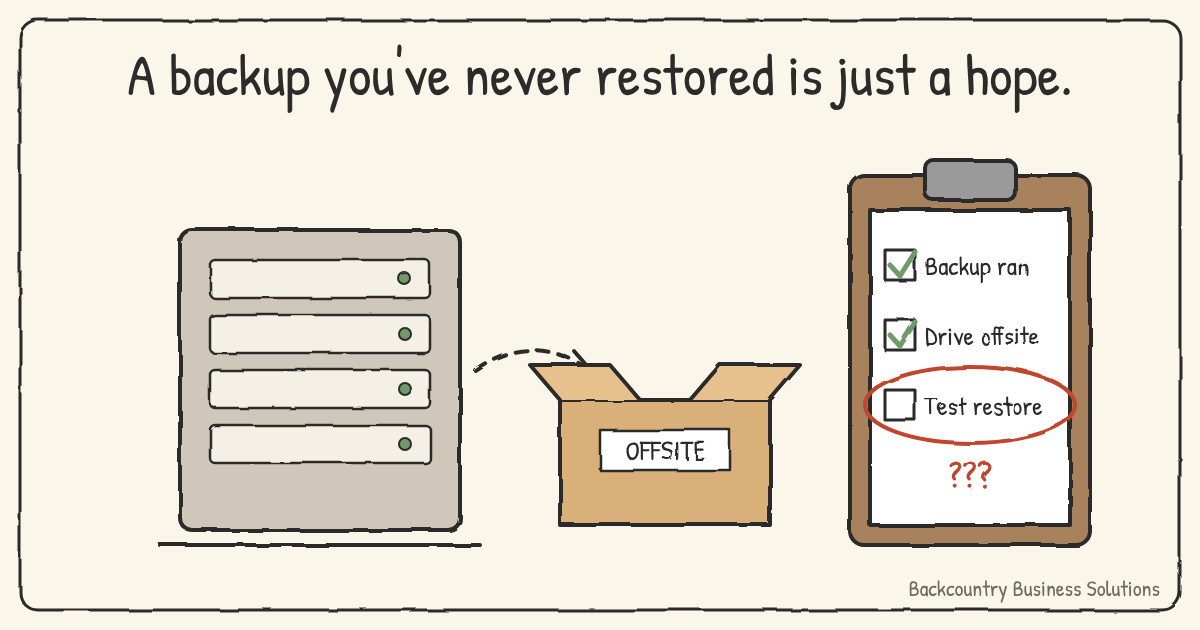
Ask a business owner whether they have backups and most will say yes. Ask when they last restored something from them, and the room gets quiet.
A backup only proves its worth when you get your files back. Until you’ve tried that, you don’t know whether the backup is complete, current, or even readable.
The 3-2-1 rule, in plain language
- 3 copies of your important data: the original plus two backups.
- 2 different kinds of storage, so one failure doesn’t take out everything (for example, a backup drive and a cloud service).
- 1 copy off-site, so a fire, flood, or theft at the office doesn’t take the backups with it.
Why one copy should be offline
Ransomware and accidental deletions can spread to anything that’s always connected, including your backups. An offline copy, one that’s disconnected most of the time, is out of reach. In one of our own projects, we build a full copy of a client’s file servers onto a set of drives every quarter, then disconnect them and store them off-site. It’s not glamorous, but it’s the copy that’s still there when everything else isn’t.
How to test a restore
- Pick a folder or a few files that matter, ideally something different each time.
- Restore them to a separate location (not over the originals).
- Open them. Make sure they’re complete and current.
- Write down the date, what you tested, and how long it took.
Do this at least a few times a year. It also tells you something important: how long it would actually take to get back to work after a real problem.
Questions worth asking
- What exactly is being backed up, and what isn’t?
- How far back can you go?
- Who gets notified if a backup fails?
- When was the last successful test restore?
If any of those answers is “I’m not sure,” that’s the place to start.
Backcountry Business Solutions provides managed IT for small businesses and nonprofits across Central Idaho, with discounted rates for nonprofits. If you’d like a second set of eyes on any of this, give us a call.
Related service: Backup & Disaster Recovery